> For the complete documentation index, see [llms.txt](https://deco-product-labels-and-badges-1.gitbook.io/deco-guidelines/llms.txt). Markdown versions of documentation pages are available by appending `.md` to page URLs; this page is available as [Markdown](https://deco-product-labels-and-badges-1.gitbook.io/deco-guidelines/our-features/deco-discount-analytics.md).
# DECO Discount Analytics
{% hint style="info" %}
Data in the Discount Analytics report will be collected from products having DECO discounts applied. The **Discount analytics** page is free on all plans.
{% endhint %}
## 🎯OVERVIEWS
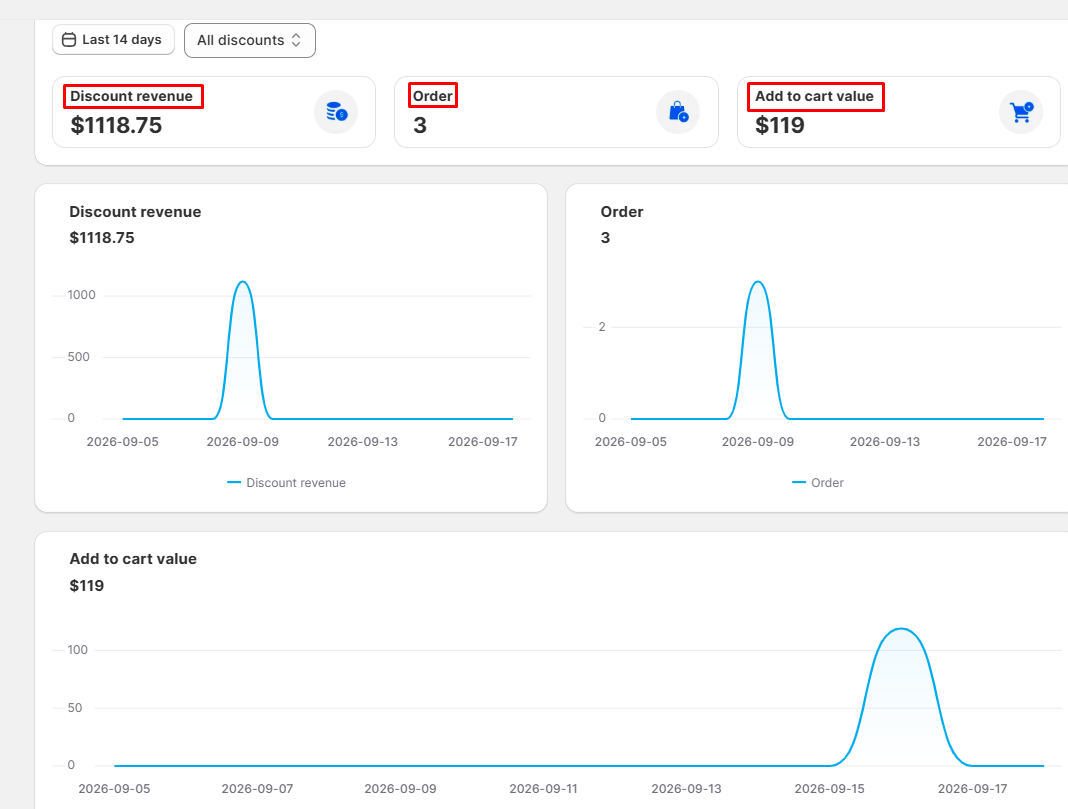
Track key e-commerce metrics for your active products, which are using DECO discounts:
* **Discount revenue:** Total revenue generated from discounted products
* **Order**: Total paid orders containing discounted products
* **Add to cart value:** Estimated revenue from discounted products added to cart but not yet purchased
## ⚙️ PREPARATIONS
Before accessing the DECO Analytics Report, ensure you have:
✅ **DECO app embed**: Active (needed for **Add to cart value**; Discount revenue and Order come from your Shopify orders)
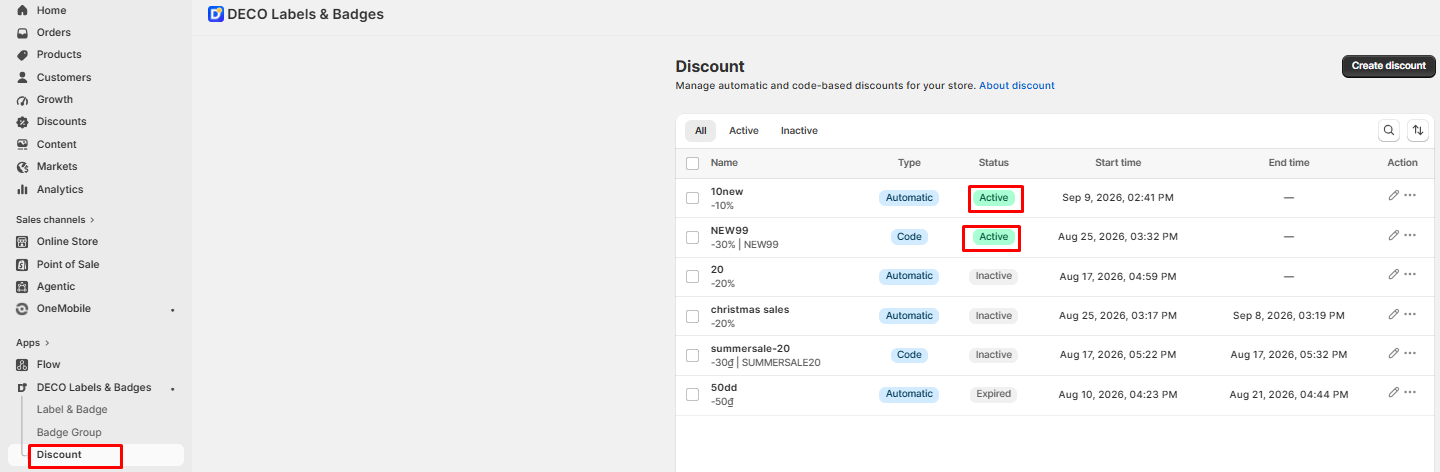
✅ **DECO discounts**: At least 1 active DECO discount
## 💡HOW TO USE
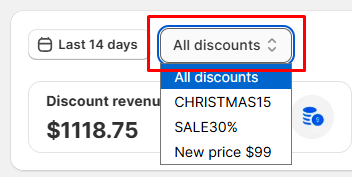
* Use the filter to choose the appropriate view: **All discounts** or a single discount. Deleted discounts still appear, with the suffix "(deleted)".
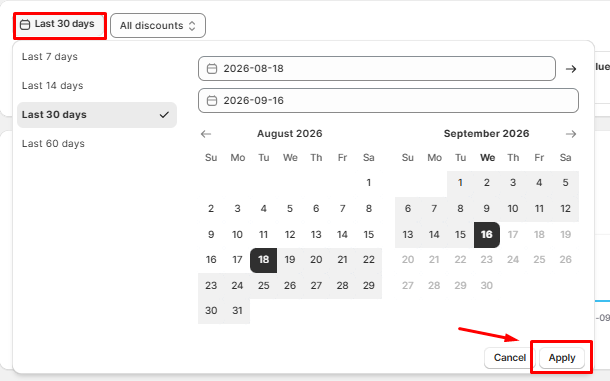
* To check data in a specific time frame: Click the "***calendar icon***" –› Choose the timeframe (Last 7 days, Last 14 days, Last 30 days, Last 60 days or Custom) –› Click "**Apply**" button. The default view is the last 14 days, and you can look back up to 60 days.
## ✏️ NOTICES
| Data is updated almost in real time: opening the page refreshes today's and yesterday's orders, and figures for the previous day are finalized daily. |
| ----------------------------------------------------------------------------------------------------------------------------------------------------- |
| **Add to cart value** only counts the "Add to cart" button. Buy Now, Shop Pay and other dynamic checkout buttons are not counted. |
| Data **ONLY** is collected **from the date the DECO discount has been activated.** |
| **The tracking** in the DECO Discount Analytic **won't be conflict to other Analytics tool**. |